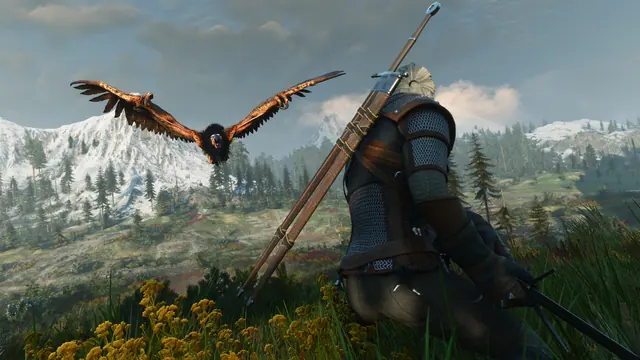
For ArdCarraigh’s Hoods mod, buy a supported head item from one of its listed merchants, equip it, then select its equipped inventory slot. The author describes X on keyboard/Xbox and Square on PlayStation for hood-up/down. Only items marked (2) in the description support toggling; a decorative hat is not automatically a folding hood.
Author’s mod.io listing read October 17: version 3.6, Windows/Xbox Series/PS5 file platforms. This does not establish Switch 2 support, identical catalogs or a crash-free result on your save. Keep an unmodified backup.
Confirm the installed item’s author and enabled state
Use the in-game mod setup first. Check the exact Hoods listing, installed version and enabled state on your own platform. A similarly named Nexus archive, video or older manual-install tutorial is not automatically the same console package.
Reforge changes equipment appearance; it does not prove that this separate mod’s items have been supplied. If you are looking for the built-in system, use the Reforge guide.
The author lists four merchant groups
| Merchant | Examples in the author’s list |
|---|---|
| Bram, Griffon Merchant in White Orchard | Cat armor hood, Classic/Pointy models, KM Cloak and several cape/hat options |
| Baron’s Quartermaster | KM Cloak Pointy, Alternative hood, NPC Alt Hood and scarves |
| Elihal | Crach cape/fur, Avallach Cloak and several hats |
| Loan Shark | Masks, Rowdy Hood and Round Hood |
Choose the named item before searching another shop. The description uses (1) for dyeable items and (2) for toggleable hoods; some have both. Do not assume every item at a listed shop can be toggled.
Use the equipped slot
- Buy and equip the desired item.
- Open inventory and select the slot containing that equipped item.
- Use the author’s inventory toggle: keyboard X, Xbox X, PlayStation Square. Follow the current on-screen prompt if bindings differ.
- For a dyeable item, first use the dye in inventory: keyboard E, Xbox A, PlayStation X, then apply it to the item. PC also supports drag-and-drop according to the author.
Dye-use and hood-toggle are different actions. Do not copy a PC-only custom keybind into a console control scheme. For obtaining base-game dye items, see dyes and dye remover.
Protect the save before testing a failure
Current video comments include both successful installs and reports of toggle crashes, disappearing cloaks after loading and broken merchant stock. Those are individual reports, not a verified universal cause or repair. Record platform, full game build, mod version, item and whether the fault occurs at equip, toggle or reload. Do not repeatedly save over the only good copy or blindly remove dependencies from a long-term modded save.
Completion: the chosen item is visible and, if marked toggleable, the equipped-slot action changes its state without a crash. If it fails, compare the author’s current release notes and keep the reproducible report. A comment mentioning 5.01b is not sufficient evidence that every PS5 case is fixed.
Play Jay Dunna’s October 17 console/PC mod-status discussion here. Commentary and player reports, not proof of catalog parity or a promised patch date.
Sources and limits
- ArdCarraigh: Hoods author listing — Primary item/vendor/control instructions; listing is not our compatibility test.
- Jay Dunna: console and PC mod updates — October 17 description and visible comments; player-reported failures remain scoped.
Sources checked October 17, 2026. Attributed instructions, not our own game test. Match your platform, installed version and mods; historical routes are not a universal 5.x compatibility guarantee.